
 BarlineSlow down music to learn it by ear
Loop the bars you’re learning.
Import a song you own and Barline finds its bars, beats, sections and key on your iPhone. Loop the exact bars you need, slow them down without changing the key, and let the practice ramp bring them back up to speed.
Mapped once, on the phone
01
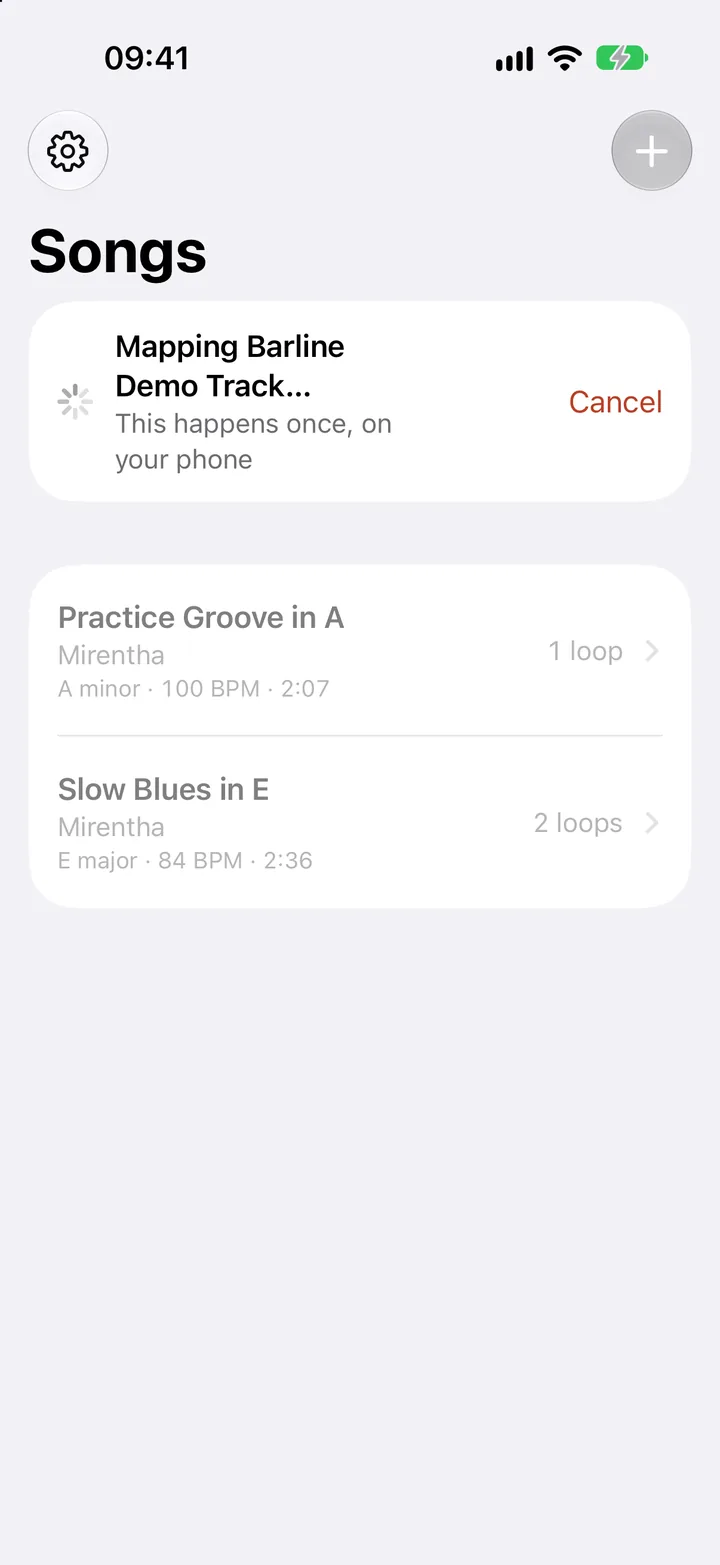
Import a song.
An MP3, M4A, WAV, AIFF or FLAC you own, from Files or iCloud Drive, or several at once. Barline keeps its own copy and maps it, once.
02
It finds the bars.
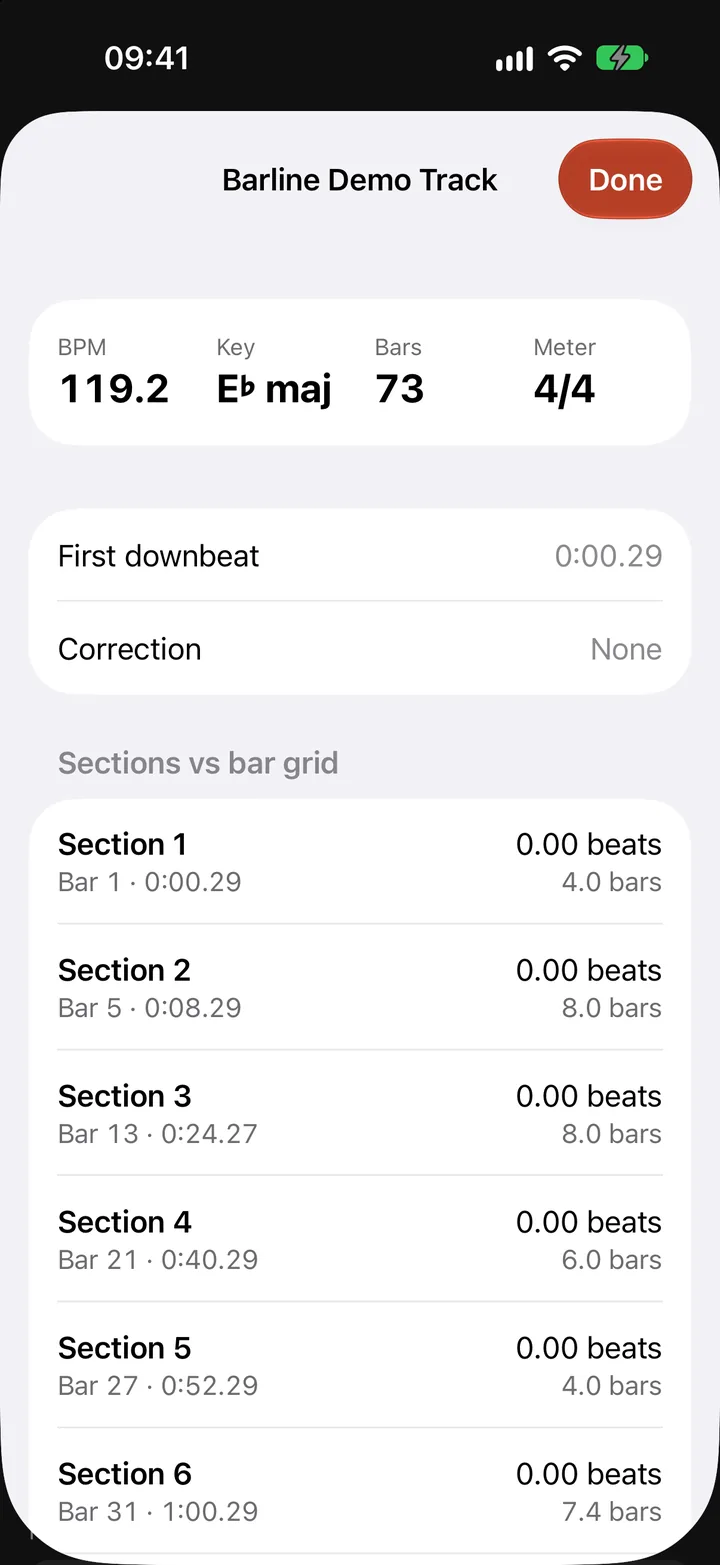
Apple’s on-device music analysis finds the beats, the bar lines, the sections and the key. The audio never leaves your iPhone, and there’s no account.
03
Then it opens in bars.
The map is saved, so the song opens straight away, counted out bar by bar, with its key and tempo beside it.
Loops that start on the one.
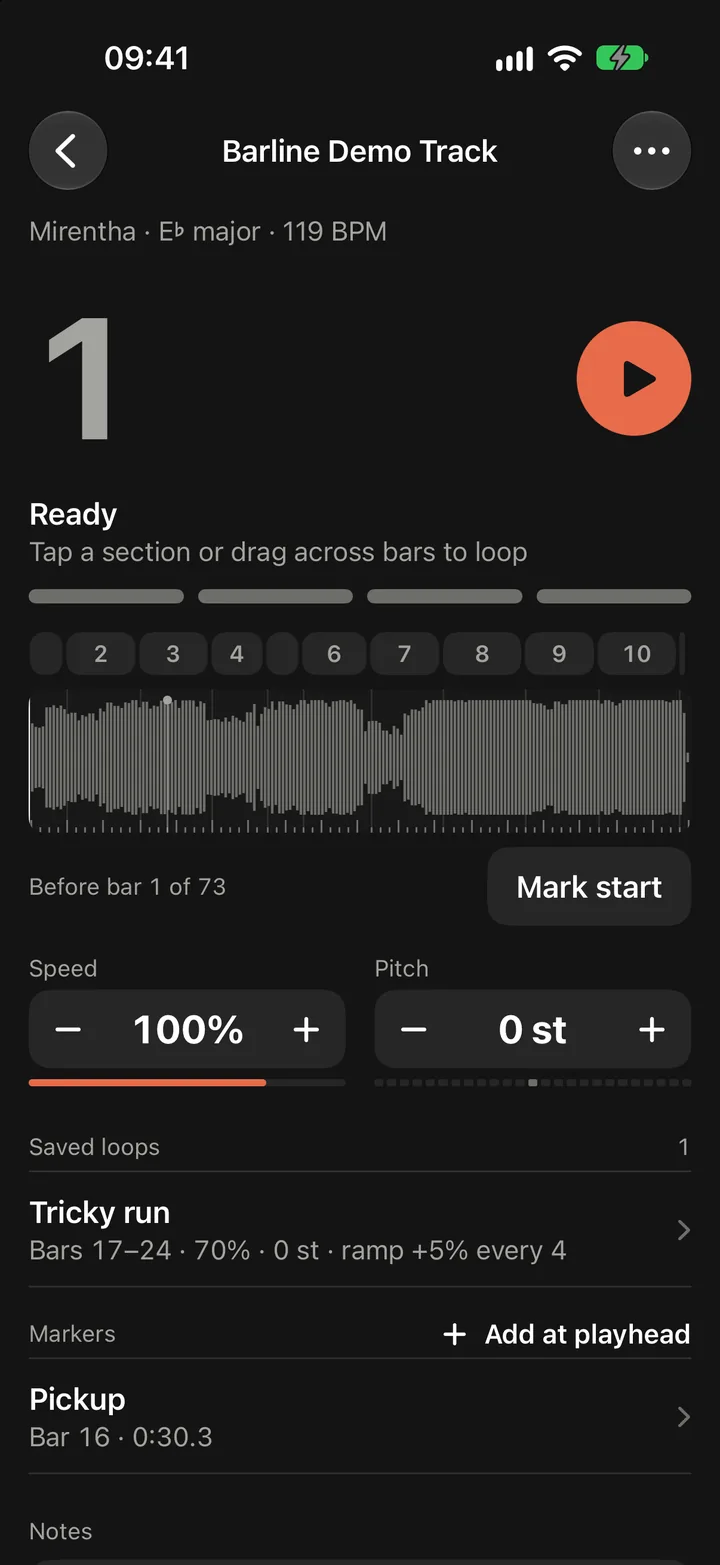
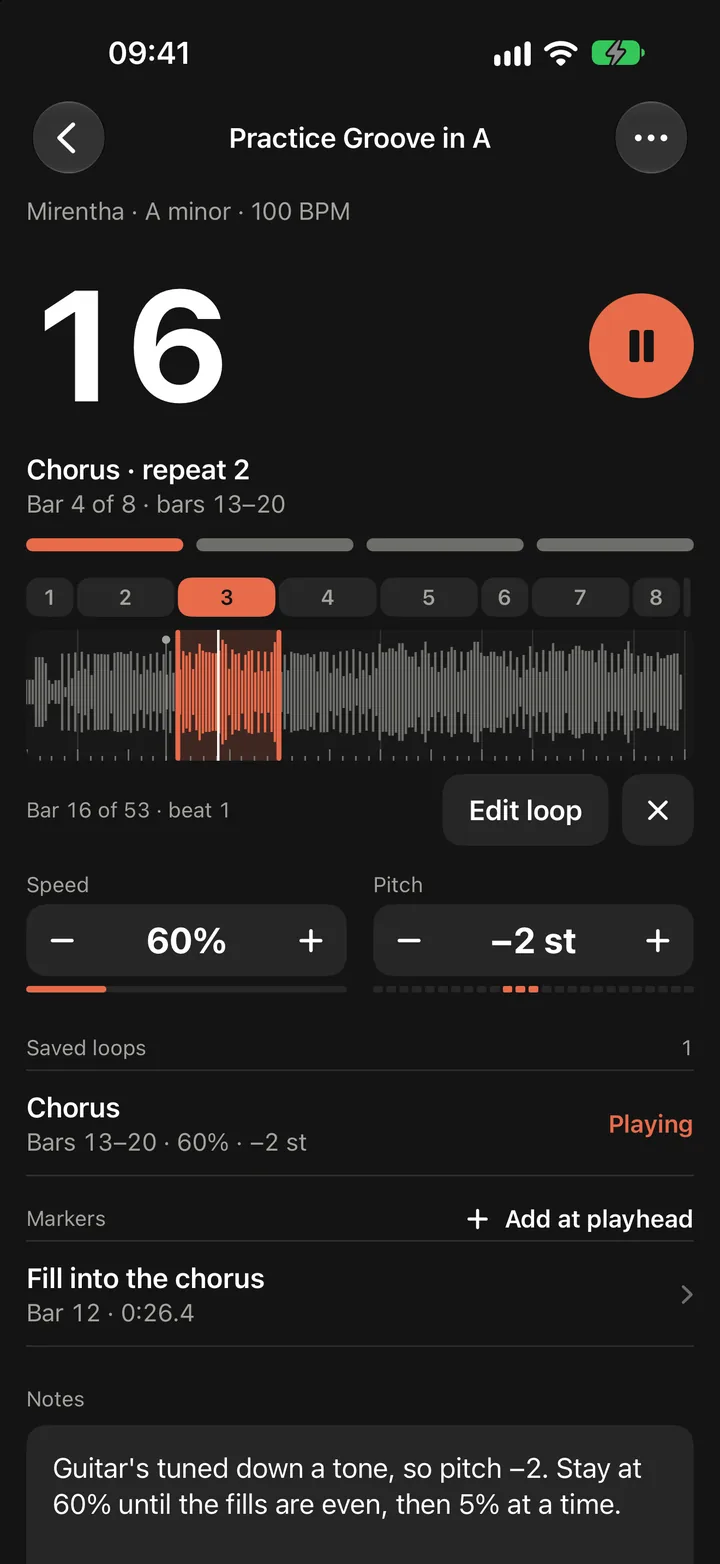
Tap a section to loop it, or drag across the waveform and the loop snaps to the bar lines as you go. It goes round with no gap at the seam and counts every repeat.
Rather go by ear? Tap Mark start and Mark end as the phrase goes by, and nudge either edge a beat at a time.
Speed and pitch
01
Slow it down. Same key.
Speed runs from 40% to 120% in steps of five, or drag for anything in between, and the pitch doesn’t move.
02
Or change the key.
Pitch is its own control, twelve semitones either way, and the speed stays where it is: for a guitar tuned down a tone, or a key that suits your voice.
The practice ramp
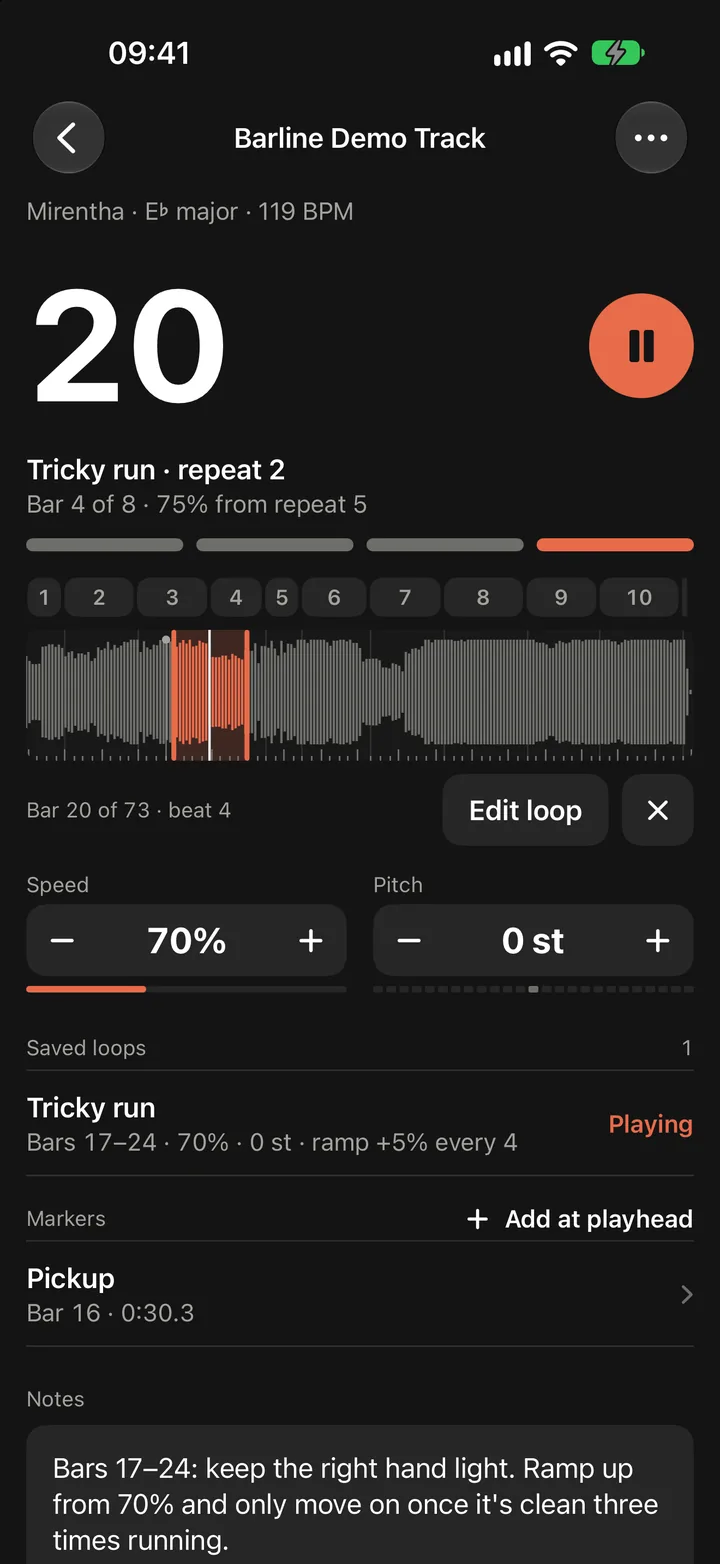
It speeds up as you get it.
Turn on the ramp and the loop gets a little faster every few repeats until it’s at full tempo. Tricky run starts at 70% and goes up 5% every four repeats, so it’s at 100% after 24.
Correct the downbeat
01
Wrong beat? Tap the one.
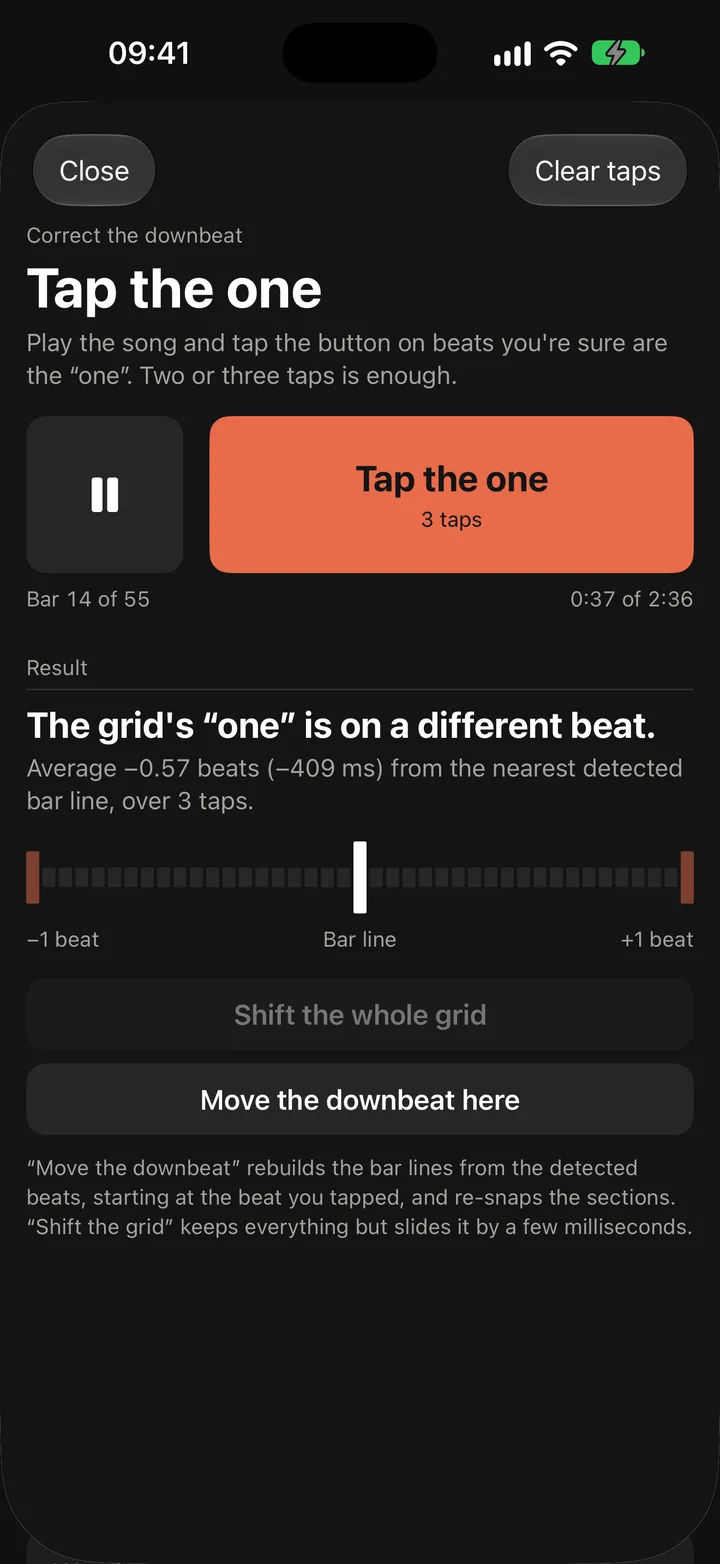
Live takes and rubato catch out every beat tracker sometimes. Play the song and tap on two or three beats you’re sure are the one.
02
The grid follows.
Choose Move the downbeat here and Barline rebuilds the bar lines from your taps. Every section, saved loop and marker follows them.
Made for the music stand.
A bar number you can read from a metre away
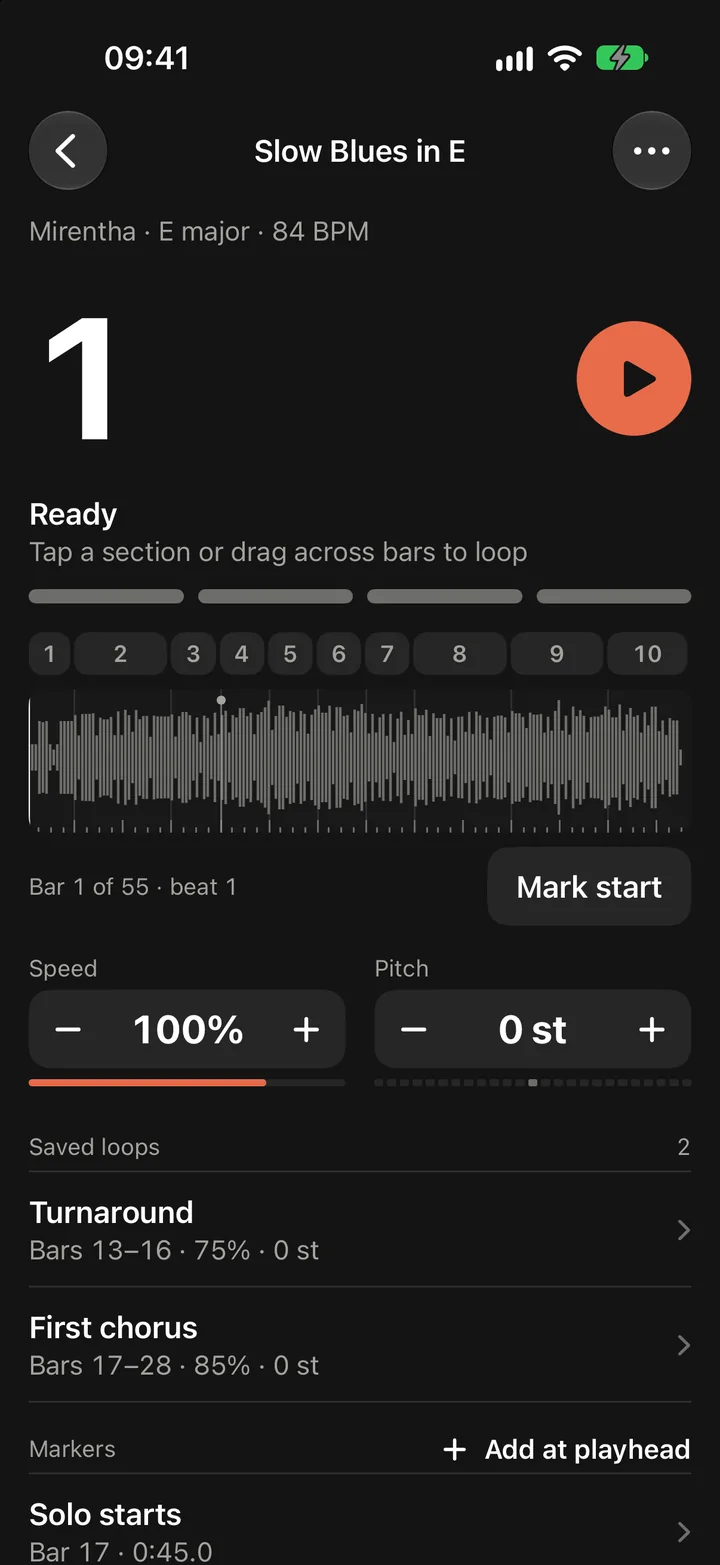
The Song screen is one dark panel: the bar you’re on, a light for every beat, and Play beside it.
A count-in on the song’s own beat
None, one, two or four bars of clicks before a loop starts from the top.
Pedals, keyboards and the Lock Screen
Space plays and pauses, ← goes back to the top of the loop, → on a bar, and the Lock Screen has play, pause and skips.
Saved loops keep their settings
Bars, speed, pitch and ramp, so a loop opens the way you left it.
Markers and notes
Drop a marker at the playhead to jump back to the bit you keep losing, and keep notes on every song.
Price
One subscription. The first week is free.
Importing and practising songs needs Barline Unlimited. New subscribers get the first week free on either plan, and cancelling at least 24 hours before it ends costs nothing.
Monthly
£2.99
- As many songs as you like
- Loops, speed and pitch, the ramp and the count-in
- Markers, notes and downbeat correction
Yearly
£19.99
- Everything in Monthly
- The same first week free
- Renews each year until you cancel
If it ends, nothing is deleted: your songs, loops and notes stay on the phone and open again when you subscribe.
Questions
Can I use songs from Apple Music or Spotify?
No. Streamed tracks are copy-protected, so they can’t be imported. Barline works with audio files you own: MP3, M4A, WAV, AIFF or FLAC, from the Files app or iCloud Drive.
Does slowing a song down change its key?
No. Speed runs from 40% to 120% and the pitch stays where it is. Pitch is a separate control, up to twelve semitones either way.
Are my songs uploaded anywhere?
No. The analysis runs on your iPhone, there’s no account, and the app collects no data. Your iPhone backup keeps the maps, loops and notes but not Barline’s copies of the audio, so keep your original files.
What if the bar lines are in the wrong place?
Choose Correct the downbeat in the song’s menu, play the song and tap on the one two or three times. The bar lines are rebuilt from your taps, and every section and loop follows them.
How much does it cost?
Barline Unlimited is £2.99 a month or £19.99 a year, and new subscribers get the first week free. Cancel at least 24 hours before the week ends and nothing is charged.
What do I need to run it?
An iPhone with iOS 27 or later. It works offline: the analysis is part of iOS, and the song is a file on your phone.
BarlineOn the App Store
Loop it until it’s yours.
The first week is free, then £2.99 a month or £19.99 a year.